
PDF export for the print shop
The three PDF versions (home, with bleed, bleed + crop marks), and what bleed and crop marks mean.
The editor produces three kinds of PDF from the same menu. The content and layout in all three are exactly what you see in the editor; only the printing margin around the edge of the sheet differs.
Downloading the PDF
Check that the top bar shows Saved.
Click Download PDF. The three versions drop down.
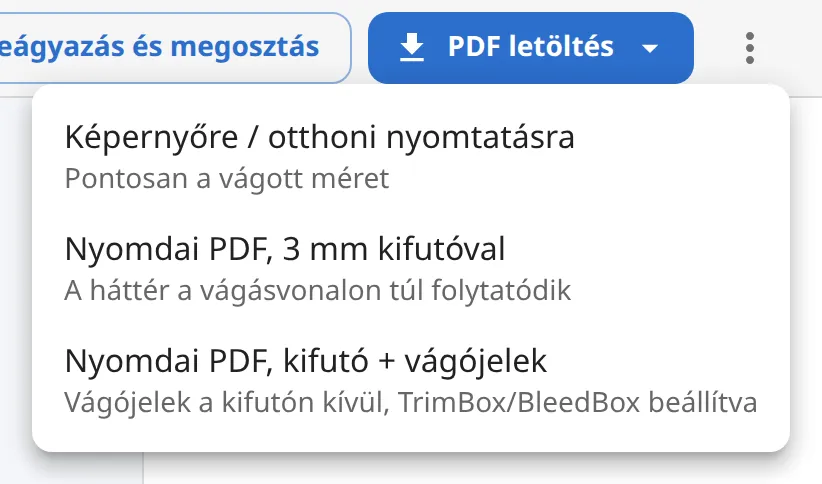
Choose the right one (see below). While the PDF is being generated, the button shows "PDF…", then your browser downloads the file.
Which one should I choose?
- For screen / home printing: exactly the trimmed size (for example A4 = 210 × 297 mm). For email, your website, an office printer. File name: the menu name.
- Print PDF, with 3 mm bleed: 3 mm larger on every side (216 × 303 mm for A4). Choose it when the print shop asks for a "PDF with bleed, without crop marks".
- Print PDF, bleed + crop marks: besides the bleed, there are crop marks at the corners (for A4 the full sheet is 232 × 319 mm). If you don't know what your print shop wants, send this one.
What is bleed?
The print shop prints on a larger sheet and then trims the pages to size. Trimming is never perfectly exact: if a background ended exactly at the edge of the page, the slightest shift would leave a white strip at the edge. So the background has to continue beyond the trim line; this is the bleed. Étlap-készítés extends the edge of the page by 3 mm, so the color, pattern or image continues past the trim line, with no white border.
What are crop marks?
Crop marks are thin lines at the four corners of the sheet that show the print shop where to cut. The editor places the crop marks outside the bleed (they start 5 mm from the trim line), so they don't remain on the page after trimming. The PDF also has the trim size (TrimBox) and the bleed (BleedBox) set, which prepress software recognizes automatically.
Watermark
On the free plan the PDF carries a watermark; the Watermarked (free plan) note at the top of the PDF menu shows this in advance, and it is visible on the editor's pages too. With a subscription the PDF is created without a watermark.