
Multiple languages on one menu
Up to three languages on one menu: setting the languages, entering translations and choosing the display mode.
A menu can be written in one primary language and up to two more, chosen from ten: Hungarian, English, German, French, Slovak, Czech, Romanian, Croatian, Serbian and Italian. You enter the translations yourself; the system does not translate automatically.
1. Choose the languages
In the left-hand panel, scroll to Menu settings. Under Content languages, the Primary language is the language you have been writing your dishes in.
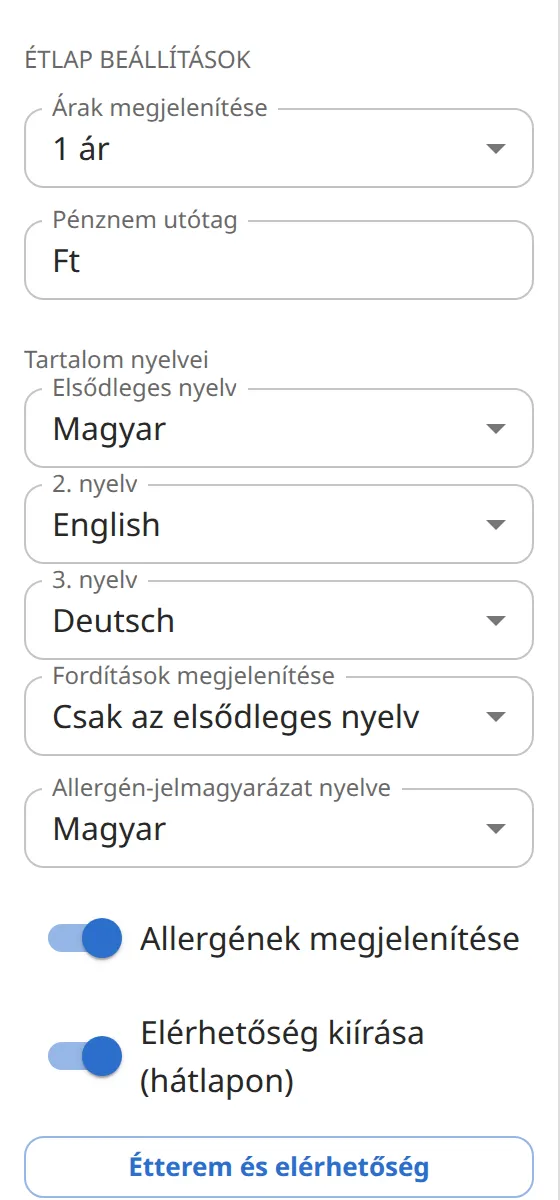
Choose the additional languages in the Language 2 and Language 3 fields. If you only need two languages, leave the third language set to None.
2. Enter the translations
Select a dish, a category, the cover or a block.
At the bottom of the right-hand panel, a Translations section appears with one tab per language. The primary-language text stays in the fields above; on the tab you only enter the translation.
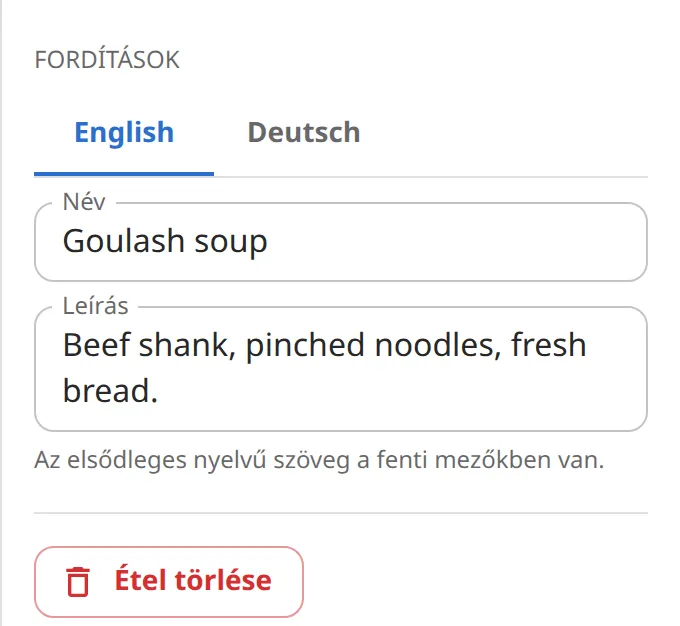
The number next to a tab shows how many fields still have no translation. When it disappears, every text of the element is translated.
Don't forget to translate category names, cover texts, and in the Restaurant and contact dialog the motto, opening hours and closing line.
3. Choose how they are displayed
The Show translations field in Menu settings (shown with two or more languages) decides how translations appear on the printed page:
- Primary language only: only the primary language is shown on the page. Translations are kept, and on the menu embedded in your website the guest can switch to them.
- Stacked: the translation(s) in smaller type under each dish name.
- On one line, with a slash: in the form "Bográcsgulyás / Goulash soup", saving space.